

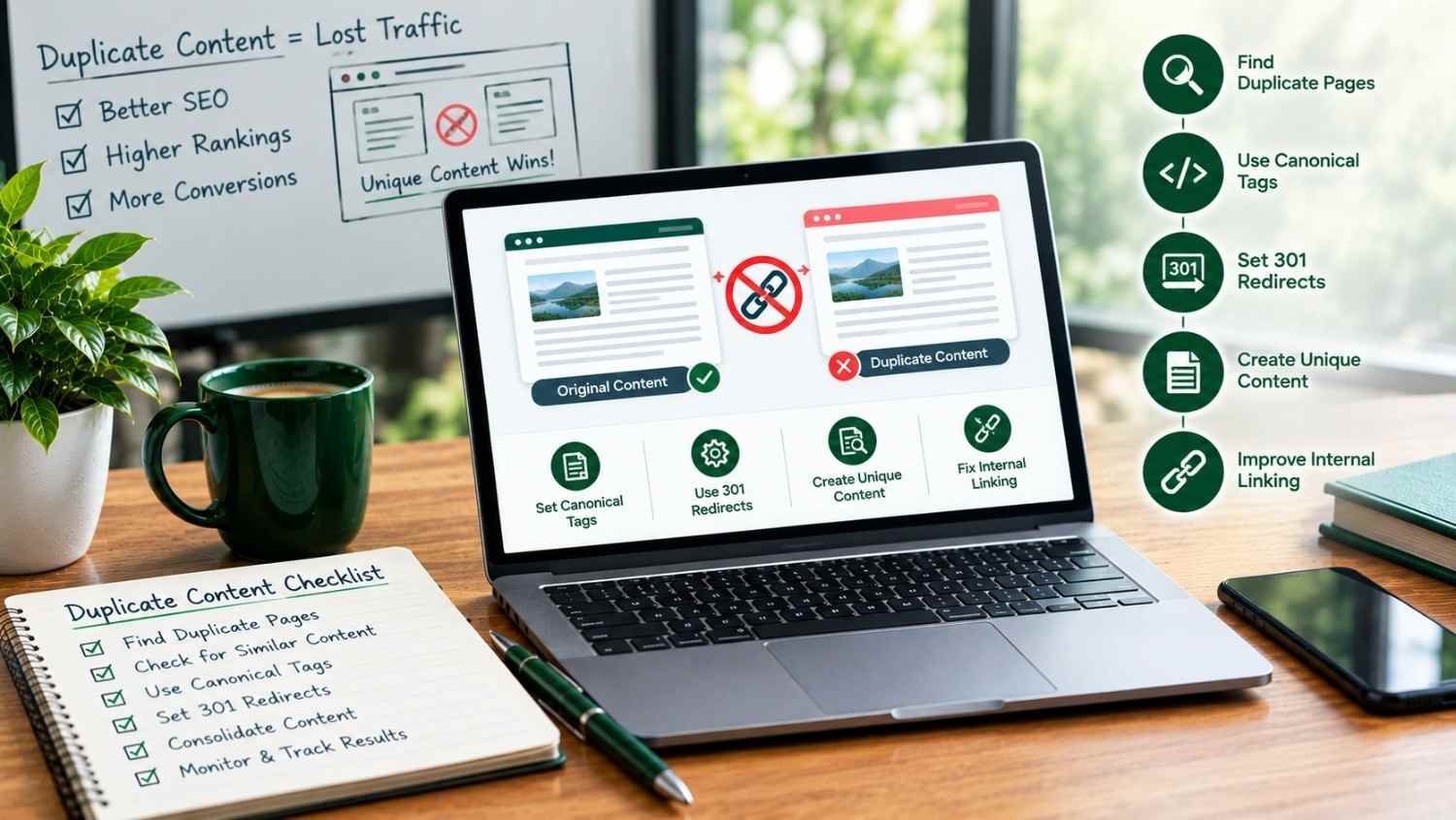
If you have ever searched Google Search Console and seen the label “Duplicate, Google chose different canonical than user” and felt a small wave of panic this guide is for you. Duplicate content is one of the most common technical SEO issues we find during website audits, and the good news is that it is also one of the most fixable.
To fix duplicate content SEO issues, first identify every duplicate URL using Google Search Console and a crawler like Screaming Frog. Then choose the correct fix for each case: use a 301 redirect to permanently merge pages you no longer need, add a self-referencing canonical tag to pages that must stay live for users, and clean up URL parameters that generate multiple versions of the same page. Finally, prevent future duplication by standardizing your URL structure, setting canonical tags as a default template rule, and auditing your site quarterly.
In the sections below, you will learn exactly how to fix duplicate content SEO issues what causes them, how to find every instance on your website, which fix applies to each situation, and how to make sure the problem never comes back. We have also included a decision-making table, a real audit workflow, and answers to the questions people most commonly ask Google about this topic.
What Is Duplicate Content in SEO?
Duplicate content refers to blocks of text that are identical or substantially similar and appear at more than one URL whether that duplication happens within your own website or across separate domains. In simple terms: if two different web addresses show search engines the same information, that is duplicate content.
This can show up as duplicate URLs (the same page reachable through more than one link), duplicate web pages created by a content management system, or copied paragraphs syndicated across multiple sites. Google’s own Search Central documentation on duplicate content confirms that most duplication is unintentional and not treated as deceptive but that does not mean it is harmless to your rankings.
How Duplicate Content Affects SEO Rankings
A common myth is that Google issues a “duplicate content penalty.” In most cases, it does not. What actually happens is more subtle and, in a way, more damaging, because it happens quietly in the background of your website SEO audit reports without triggering an obvious warning.
- Split ranking signals: Backlinks and social shares get divided between two URLs instead of consolidating behind one strong page.
- Wasted crawl budget: Search engine bots spend time crawling redundant pages instead of your newest, most important content.
- Wrong page ranks: Google may choose to rank the weaker, less-optimized version of a duplicate pair, or bounce between the two, hurting consistency.
- Indexing issues: Search Console flags pages as “Duplicate without user-selected canonical,” which can delay or block indexing entirely.
Independent studies of large website datasets have found that roughly one in four to one in three websites carry some form of duplicate content meaning this is not a rare, niche problem. It is one of the most widespread technical SEO issues on the web, and it is quietly capping the ranking potential of otherwise strong websites every day.
First-hand observation: In client website audits, we regularly see local business sites accidentally create duplicate content through faceted filters, printer-friendly page versions, and both a “www” and “non-www” version of the same domain being indexed at once. None of these business owners created the problem on purpose it is almost always a template or CMS default setting nobody noticed.
Common Causes of Duplicate Content on a Website
Before you can fix duplicate content, you need to understand where it usually comes from. These are the causes we see most often during a technical audit:
- URL parameters: Filtering, sorting, and tracking parameters (e.g. ?sort=price, ?utm_source=) create endless new URLs for the same page.
- HTTP vs. HTTPS or www vs. non-www: If your server does not enforce one version, Google may index all four combinations of the same homepage.
- Session IDs: Some e-commerce and membership platforms append a unique session string to every URL a visitor generates.
- Printer-friendly or PDF versions: A “print this page” feature often creates a second, fully indexable copy of the content.
- Boilerplate and templated text: Long disclaimers, shipping policies, or location descriptions repeated word-for-word across many pages.
- Syndicated or scraped content: Content republished on other domains, or, less commonly, someone else copying your original content without permission.
- Pagination and taxonomy overlap: Blog category, tag, and archive pages that pull in the same posts through multiple URL paths.
How to Find and Fix Duplicate Content: Step-by-Step Audit
Knowing how to find and fix duplicate content starts with a proper technical audit, not guesswork. Here is the process we follow:
- Check Google Search Console: Open the Page Indexing report and look for statuses like “Duplicate without user-selected canonical” or “Duplicate, Google chose different canonical than user.”
- Crawl your site: Run a full crawl with a tool like Screaming Frog or Sitebulb and sort by duplicate title tags, meta descriptions, and near-identical body content.
- Use a duplicate content checker: Tools such as Siteliner or Copyscape compare pages against each other and against the wider web.
- Group duplicates by cause: Sort each duplicate URL group into one of the categories above so you apply the right fix, not a generic one.
- Prioritize by traffic and revenue impact: Fix the duplicate pairs affecting your highest-value pages first.
Ways to Fix Duplicate Content in SEO (Comparison Table)
There is no single universal fix. The right tool depends on whether the duplicate page needs to stay live for users. Use this table as a decision guide:
Duplicate content fixes compared
| Method | Best used when | Effect on users | Effect on SEO signals |
| 301 redirect | Duplicate URL not needed by visitors (old product, merged pages, HTTP→HTTPS) | Sent automatically to the correct page | Fully consolidates link equity to the target URL |
| Canonical tag (rel=”canonical”) | Both URLs must remain accessible (filtered/sorted product views) | Both pages stay visible | Signals the preferred URL; most ranking value flows there |
| Noindex meta tag | Page should stay live but never appear in search (thank-you pages, internal search) | Page still works normally | Removes page from the index; does not pass link equity |
| URL parameter handling | Tracking or session parameters generate near-infinite URL variants | No visible change | Stops crawl budget waste on parameter-based duplicates |
| Content consolidation | Several thin, overlapping blog posts cover the same topic | One comprehensive resource replaces several weak ones | Combines scattered ranking signals into one stronger page |
How to Resolve Duplicate Content Issues: Canonical Tags, Redirects & Parameters
Here is exactly how to resolve duplicate content issues in SEO once you know which category each duplicate falls into:
- Implement 301 Redirects
A 301 redirect permanently points an old or duplicate URL to the correct one. Search engines follow the redirect, transfer the ranking signals, and eventually drop the old URL from the index. This is the strongest fix when the duplicate page truly does not need to exist anymore.
- Add Canonical URLs to Every Template
A self-referencing canonical tag should be part of every page template by default, so every page confirms itself as the master version unless you deliberately point it elsewhere. Most SEO plugins (Yoast, Rank Math) and page builders can automate this but it is worth manually verifying on your most important pages during any website SEO audit.
- Clean Up URL Parameters
Configure your CMS or use Search Console’s URL parameter tools to tell Google which parameters change page content and which ones (like tracking tags) do not. This single fix often resolves the largest volume of duplicate URLs on e-commerce and directory-style sites.
- Consolidate Near-Duplicate Content
If you have multiple blog posts or service pages covering nearly the same topic, merge them into one authoritative page and 301 redirect the weaker versions into it. This also protects against keyword cannibalization, where two pages on your own site compete against each other for the same search term instead of one page ranking strongly.
How to Remove Duplicate Content From a Website
Learning how to remove duplicate content from a website is really about choosing removal versus redirection carefully:
- If the page has value to users but not to search engines, noindex it rather than deleting it.
- If the page has backlinks pointing to it, redirect never simply delete, or you lose that link equity permanently.
- If another website has copied your original content, request removal directly, and file a formal DMCA complaint with Google if they refuse.
- If duplication comes from your own CMS (tag pages, archives), adjust CMS settings or template rules rather than manually deleting pages one by one.
How to Prevent Duplicate Content on Your Website
Fixing existing duplicates matters, but knowing how to prevent duplicate content on your website going forward saves far more time in the long run:
- Decide on one canonical domain format (HTTPS, with or without www) before launch, and enforce it at the server level.
- Build self-referencing canonical tags into your page templates from day one.
- Configure CMS settings for tags, categories, and archives so they do not create overlapping, low-value URLs.
- Write unique, specific copy for each location, product, or service page avoid simply swapping a city or product name into a template.
- Run a duplicate content check every quarter as part of an ongoing SEO content issues review, not just once after launch.
Where Most Small Business Websites Go Wrong
In our experience auditing Central Ohio small business websites, duplicate content issues are rarely caused by careless writing they are caused by templates, plugins, and CMS defaults nobody checked after launch. A structured on-page review catches these issues before they quietly cap your rankings for months. This kind of cleanup auditing canonical tags, redirect chains, and URL parameters is exactly the work covered under Richwood Marketing’s On-Page SEO services, where we fix these technical gaps as part of an ongoing strategy rather than a one-time patch.
DIY vs. Professional SEO Audit: Which Should You Choose?
Fixing duplicate content yourself vs. hiring a professional
| DIY Approach | Professional SEO Audit | |
| Best for | Small sites with a handful of pages and basic duplication | Growing sites, e-commerce, or sites with recurring ranking issues |
| Tools needed | Free versions of Search Console, Siteliner, browser extensions | Enterprise crawlers, log file analysis, parameter reporting |
| Time investment | Several hours to days, often trial and error | Handled as part of an ongoing SEO strategy |
| Risk of missed issues | Higher easy to fix symptoms without finding the root cause | Lower root-cause fixes plus prevention built into templates |
Whichever path fits your business, the goal is the same: one clean, canonical version of every page competing for its own search term. If you would rather have this diagnosed and fixed for you, discover our full range of services designed specifically for Central Ohio small businesses.
About the Richwood Marketing SEO Team
Richwood Marketing is the in-house marketing team of Richwood Bank, serving Richwood Bank business customers across nine Central Ohio communities since 2014. Our team has audited and rebuilt on-page SEO structures for 400+ local businesses, including resolving canonical tag, redirect, and duplicate content issues as part of full-service website management.
Frequently Asked Questions
What is duplicate content in SEO?
Duplicate content is identical or near-identical text that appears at more than one URL, whether on the same website or across different domains. It makes it harder for search engines to decide which version deserves to rank.
Does duplicate content get you penalized by Google?
No, not in the sense of a manual penalty for ordinary technical duplication. Google is generally able to identify the original or preferred version. However, duplicate content still hurts SEO indirectly by splitting link equity and wasting crawl budget, which is why it should still be fixed.
How do I check my website for duplicate content?
Start with the Page Indexing report in Google Search Console, then run a full site crawl with a tool like Screaming Frog to compare title tags, meta descriptions, and body content. Duplicate checkers like Siteliner add an extra layer of confirmation.
What is the fastest way to fix duplicate content?
Use a 301 redirect for duplicate pages you no longer need live, and a self-referencing canonical tag for pages that must remain accessible to visitors. Both are usually quick to implement once you know which duplicates fall into which category.
What is the difference between a canonical tag and a 301 redirect?
A 301 redirect permanently moves both users and search engines from one URL to another, so the old page stops resolving. A canonical tag keeps both pages live for visitors, but tells search engines which one to treat as the primary version for indexing and ranking.
How does duplicate content affect Google indexing?
Duplicate pages can be marked “Duplicate without user-selected canonical” in Search Console, which can delay indexing, exclude a page from search results entirely, or cause Google to select a different canonical page than the one you intended.
How often should I audit my site for duplicate content?
A quarterly check is enough for most small business websites. Larger e-commerce sites, directories, or publishers with frequently changing URLs should review monthly, since new duplicates can appear quickly through filters and parameters.
Ready to Clean Up Your Website’s SEO?
Duplicate content is one of the easiest technical issues to fix once it’s properly diagnosed and one of the most damaging to leave alone. If you’re a Richwood Bank business customer in Central Ohio, our team can run a full on-page audit and fix these issues as part of your ongoing SEO strategy. Start the Conversation Contact Us
Resource: https://developers.google.com/search/docs/crawling-indexing/duplicate-content
