
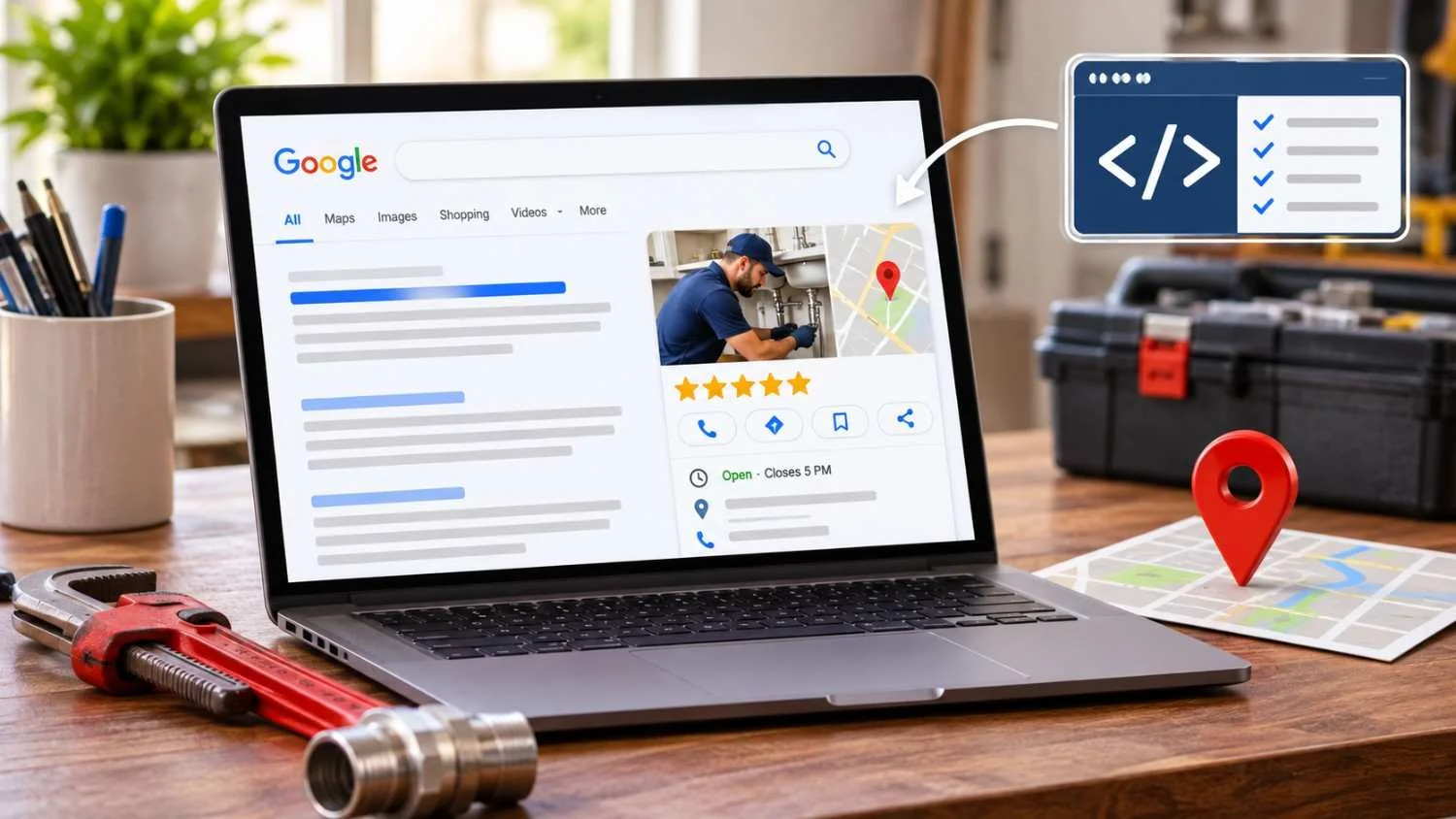
Picture two plumbers in Columbus. Both have a decent website, a Google Business Profile, and a handful of reviews. One shows up with star ratings, hours, and a clean Knowledge Panel. The other shows up as a plain blue link. Most people assume it’s luck or a bigger ad budget. Often it’s neither.
Plenty of Ohio small businesses leave free ranking power on the table because their websites never explain themselves to Google in a way machines understand. That gap quietly hurts their local SEO, no matter how good the rest of their marketing looks. Local business schema markup is the code that tells search engines exactly who you are, where you are, and what you offer. In this guide, we’ll cover what it is, why it matters, and how to get it right without turning your site into a mess of broken code .
What Exactly Is Local Business Schema Markup?
Local business schema markup is a block of structured data added to your website that labels your business details in a standardized format. Instead of making Google guess that “(614) 555-0123” is your phone number, schema states it outright.
It is usually written in JSON-LD (JavaScript Object Notation for Linked Data). This is the format Google recommends because it sits in a separate script in your page’s code and doesn’t interfere with your visible content.
Here is how it differs from regular website text. Your page copy is written for people, while schema is written for machines. A visitor can read “Open Monday to Friday, 8 to 5” and understand it. A search engine has to interpret that sentence and hope it gets it right. Schema removes the interpretation step.
The vocabulary comes from Schema.org, a shared standard supported by Google, Bing, and others. Its Local Business type, which Google supports directly in its local business structured data documentation, includes dozens of more specific subtypes, from Plumber to Dentist to Auto Repair.
Why Local Business Schema Markup Matters for Local SEO
Schema is not a magic ranking switch, and anyone who tells you otherwise is overselling. What it does is remove friction between your business and the systems deciding whether to show you. Here is where that matters most.
It removes ambiguity for Google: Search engines process billions of pages and rely on signals they can verify quickly. When your name, address, services, and hours are clearly labeled, there is less room for misreading. A business called “Summit” could be a roofer, a gym, or a bank, and schema clarifies which one you are.
It strengthens the entity connection between your website and your Google Business Profile: Google increasingly thinks in entities, meaning real-world things with consistent attributes. When your site’s structured data matches your GBP listing and your other citations, you reinforce that all of these belong to one business. That consistency is one of the quieter foundations of local visibility.
It supports Local Pack eligibility: Schema alone won’t put you in the map results, since proximity, relevance, and prominence still drive that. But accurate structured data supports the relevance side by confirming your categories, service area, and location details.
It enables richer search appearance: Properly implemented markup can help Google show enhanced details about your business. Eligibility isn’t a guarantee, but without markup you are not even in the conversation.
It prepares you for AI Overviews and AI assistants: AI-driven search tools pull from sources they can parse and trust. Clean, structured information about your business is easier for these systems to extract and cite accurately. If you want to understand the bigger shift, see our breakdown of how AI Overviews are changing SEO.
It improves trust signals and data consistency: When every platform tells the same story about your business, both search engines and customers trust you more. Trust also grows through real customer activity, and getting customers to create content for you is a smart way to support it.
Real Benefits You Can Expect
Here is what a correct implementation can realistically support:
| Benefit | What it means for your business |
| Rich result eligibility | Your listing can qualify for enhanced search features |
| More accurate Knowledge Panel | Fewer wrong hours, outdated phone numbers, or mismatched addresses |
| Higher click-through rates | Detailed, trustworthy listings tend to earn more clicks than bare ones |
| Cleaner AI citations | AI tools can pull your details correctly instead of guessing |
| Multi-location and service-area support | Each location or service region can be defined clearly and separately |
Notice that these are about accuracy, eligibility, and clarity. That is the honest value of schema, and it compounds over time.
Required vs. Recommended Properties
Google’s documentation separates what you must include from what is worth adding.
Required:
- name: your business name
- address: your full postal address
Recommended:
- telephone
- url
- geo (latitude and longitude)
- opening Hours Specification
- price Range
- image
- same As (links to your social profiles and directory listings)
- area Served
Treat the “required” list as the bare minimum. In practice, the more complete and accurate your recommended properties are, the more useful your markup becomes.
One rule is non-negotiable, your schema must match your Google Business Profile exactly same business name, same address format, same phone number, same hours. If your GBP says “Suite 200” and your schema says “Ste. 200,” or your hours differ, you create the exact inconsistency schema is supposed to prevent. If your profile itself needs work, start with these Google Business Profile optimization tips.
Common Mistakes That Destroy Value
Many sites technically have schema and still gain nothing from it. These are the usual culprits:
- Using the generic Local Business type instead of a specific subtype: If you are an electrician, use Electrician. Specific types give Google a sharper picture of what you do.
- NAP mismatch with your Google Business Profile: Name, address, and phone must be identical everywhere.
- Incomplete or incorrect geo coordinates: A pin that lands a few streets away, or in the wrong town, undermines location accuracy.
- Review markup errors: Marking up reviews you wrote yourself, or self-serving reviews on your own page, violates Google’s guidelines and can lead to lost eligibility.
- Duplicate or conflicting schema: This often happens when a theme, an SEO plugin, and a page builder each add their own markup. Google then sees three versions of you.
Many of these issues show up during a broader audit of technical SEO problems, which is a good reason to check schema alongside everything else.
How to Add Local Business Schema Markup (High-Level)
You do not need to be a developer to get this done, but you do need to be careful. There are three practical routes:
- WordPress plugins: Reputable SEO plugins let you enter business details and generate the markup automatically. This is the fastest option for most small sites, but check that only one plugin is outputting schema.
- Manual JSON-LD: You write the code yourself and place it in your page’s head or body. This gives full control but demands accuracy.
- Developer or agency help: Best for multi-location businesses, custom sites, or anyone who would rather not risk breaking something.
Whichever route you take, the sequence is the same: gather your exact GBP details, choose the most specific business type, add the required and recommended properties, place the markup on the right page (usually your homepage or location page), and then validate it. Never publish without validating. If you are working through your site step by step, our on-page SEO checklist covers where schema fits in.
Validation and Ongoing Maintenance
Two free tools should be part of every rollout:
- Google’s Rich Results Test shows whether your page is eligible for enhanced results and flags errors.
- Schema Markup Validator checks that your code follows Schema.org standards, regardless of Google’s specific features.
Validation is not a one-time job. Update your schema whenever something changes, including:
- Business hours (holiday schedules, seasonal changes)
- A new phone number or website URL
- A new location or a closed one
- A change in services or service areas
- A rebrand or name change
Whenever you change something in your Google Business Profile, change it in your schema the same day.
Why Ohio Businesses Should Prioritize This Now
Central Ohio is a busy market. Columbus keeps growing, and nearby communities have seen steady business development, so for almost any service category, from home services to professional firms, you are competing with dozens of nearby businesses for the same searches. In a market like that, small technical advantages matter, because many competitors still run incomplete or broken structured data, or none at all.
There is also a timing factor. As AI-powered search becomes a normal way for people to find local businesses, the companies whose information is clean, consistent, and machine-readable are the ones most likely to be surfaced accurately.
At Richwood Marketing, structured data is not treated as a standalone trick. It is one layer of a broader local SEO approach, working alongside Google Business Profile management, on-page optimization, and technical health. When those pieces agree with each other, each one performs better.
Frequently Asked Questions
Does local business schema markup improve rankings?
Schema is not a direct ranking factor, but it helps search engines understand your business accurately. That clarity can support relevance signals, rich result eligibility, and better click-through rates, which together contribute to stronger local performance.
Is Local Business schema required for local SEO?
It is not strictly required, since businesses can rank without it. However, it removes guesswork for search engines and gives you an edge over competitors who skip it, which makes it one of the most worthwhile technical additions for any local business.
What is the difference between Local Business schema and Google Business Profile?
Your Google Business Profile is a listing you manage inside Google’s own ecosystem, while schema is code on your website. They serve the same goal from different angles, and the strongest results come when both match exactly.
Can schema markup help with AI Overviews?
Structured data makes your business information easier for AI systems to read and cite accurately. It does not guarantee inclusion, but clean markup reduces the chance of errors and supports the consistency AI tools tend to rely on.
How often should I update my schema?
Update it any time your business details change, such as hours, phone number, address, or services. Beyond that, review it every few months and re-run it through the Rich Results Test to catch errors introduced by plugin or theme updates.
Should I use a plugin or write the code manually?
For most small businesses, a trusted SEO plugin is a practical choice because it reduces the risk of syntax errors. Manual JSON-LD offers more control but requires technical care, so use it only if you are confident, or have developer support.
Can a service-area business use local business schema?
Yes. If you travel to customers rather than serving them at a storefront, you can use the areaServed property to define the cities or regions you cover, which helps Google understand where you operate.
Final Thoughts
Local business schema markup is not flashy, but it is foundational. It clears up confusion, ties your website to your Google Business Profile, supports richer visibility, and prepares your business for a search landscape increasingly shaped by AI. Done right, it works quietly in the background. Done wrong, it creates the very inconsistencies you were trying to avoid.
Your next step is simple, audit what you have. Run your homepage through the Rich Results Test and compare the output against your Google Business Profile. If anything looks off, or you would rather have it handled properly, our team can help. Explore our local SEO services in Ohio or reach out about a technical SEO review, and we will make sure your business is speaking Google’s language clearly.
